Video editing

BPM Finder

Fast, accurate, privacy-first BPM analysis tool for audio files and tap tempo.

Source rating 5.0 (87) 122k views 122k/mo traffic 0 saves Unknown
More categories (11)

Verdict

A quick read before you dig into the full page.

Best if
You are professional DJs and need: DJ Mixing & Performance: Analyze track BPMs for seamless beatmatching and smooth transitions
Pick this when
Fast, accurate, privacy-first BPM analysis tool for audio files and tap tempo

Overview

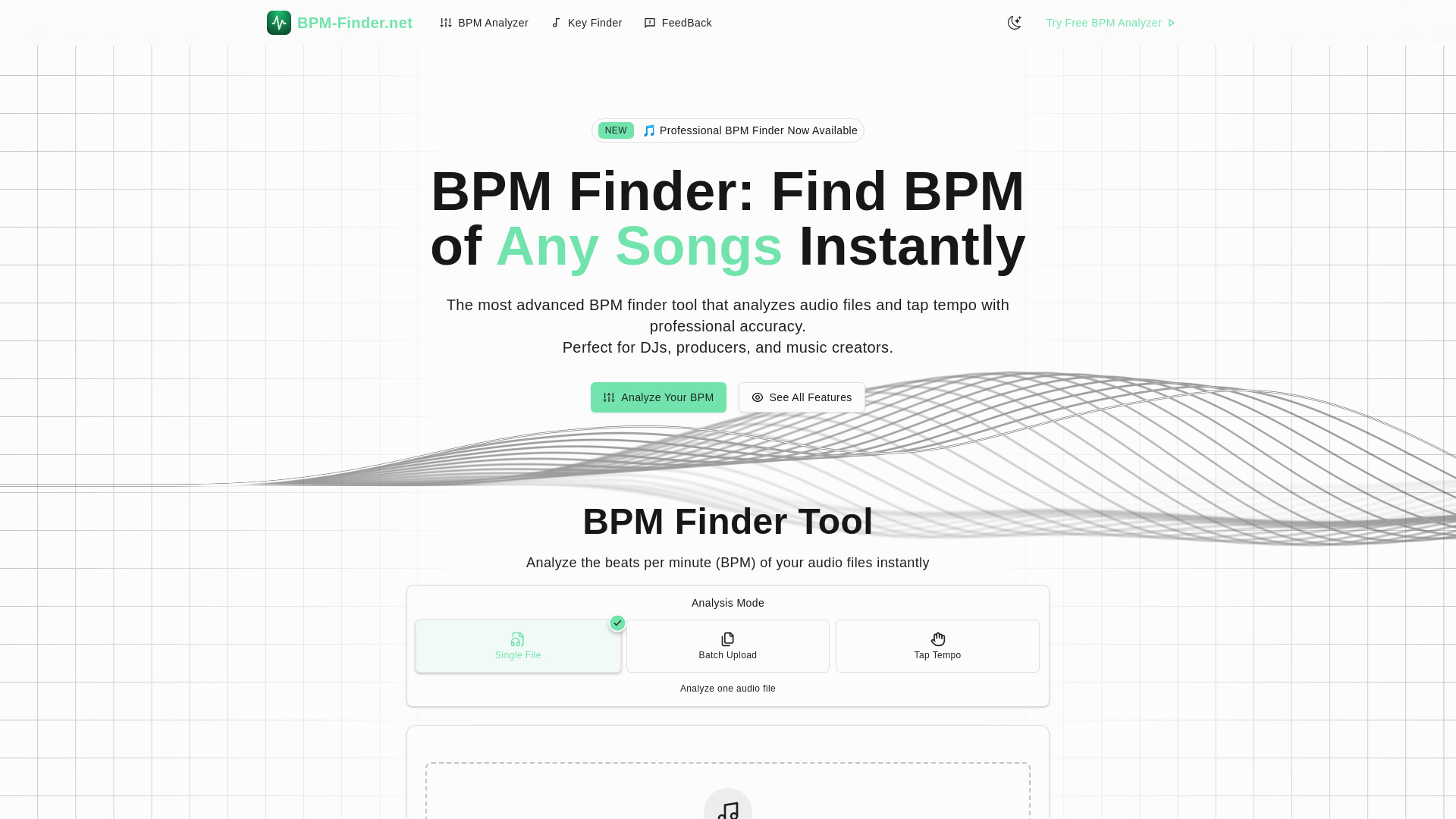
BPM Finder is an advanced, privacy-first online tool designed for fast and accurate analysis of audio files to determine their Beats Per Minute (BPM). It offers 99.5% precision and works directly in your browser, supporting single file analysis, batch processing, and manual tap tempo. Ideal for DJs, music producers, fitness instructors, video editors, and content creators, it helps streamline workflows by providing instant tempo detection for various creative and professional applications.

BPM Finder screenshot

Best for

Short scenarios where BPM Finder tends to shine.

  • DJ Mixing & Performance: Analyze track BPMs for seamless beatmatching and smooth transitions.

    Best for Professional DJs

  • Music Production: Match tempos across samples and loops for perfect synchronization in productions.

    Best for Music Producers

  • Fitness & Dance Classes: Create perfectly synced playlists for different workout intensities.

    Best for Music Creators

  • Video Editing & Sync: Match background music to video cuts, transitions, and scene changes.

    Best for Fitness Instructors

  • Live Performance & Bands: Learn and adapt songs quickly with accurate tempo detection for rehearsals.

    Best for Dance Teachers

  • Content Creation: Curate themed playlists and analyze content for social media and streaming.

    Best for Video Editors

Example outputs 1

Sample generations and before/after results for BPM Finder.

Access & connections

Where you can use BPM Finder.

Platforms

Web

Capabilities

What this tool accepts, produces, and is strongest at.

Highlights

  • Accurate BPM detection with 99.5% precision
  • Three analysis modes: single file, batch processing, and tap tempo
  • Privacy-first, in-browser processing (files never leave your device)
  • Support for multiple audio formats (MP3, WAV, FLAC, AAC, OGG, M4A)
  • Professional export options (CSV, copy to clipboard, DAW/DJ software integration)
  • Analysis of YouTube and SoundCloud URLs

People also view

Tools that often show up alongside BPM Finder in collections and comparisons.

FAQ 6

What is BPM Finder?
BPM Finder is an advanced, privacy-first online tool designed for fast and accurate analysis of audio files to determine their Beats Per Minute (BPM). It offers 99.5% precision and works directly in your browser, supporting single file analysis, batch processing, and manual tap tempo. Ideal for DJs, music producers, fitness instructors, video editors, and content creators, it helps streamline workflows by providing instant tempo detection for various creative and professional applications.
How to use BPM Finder?
To use BPM Finder, choose your preferred analysis method: 1. **Single File Analysis**: Upload one audio file (MP3, WAV, FLAC, AAC, OGG, M4A, max 50MB) for instant BPM detection. 2. **Batch Processing**: Upload multiple files simultaneously for efficient analysis of your music library. 3. **Tap Tempo Mode**: Manually tap the rhythm to determine the BPM, useful for live performances or when no audio file is available. After analysis, you can export results by copying them, saving to CSV, or integrating them with your DAW and DJ software.
How accurate is BPM Finder's detection?
Our advanced BPM finder algorithms achieve 99.5% accuracy on most music genres. For complex or variable tempo songs, BPM Finder provides confidence scores and alternative suggestions, and you can manually adjust results using x2/÷2 buttons for precision.
What audio formats and sources does BPM Finder support?
BPM Finder supports all major audio formats (MP3, WAV, FLAC, M4A, etc.) via file upload. You can also analyze music directly from YouTube and SoundCloud URLs, or use the tap tempo feature for live audio. Everything is processed in your browser for privacy.
Is it legal to analyze YouTube videos and streaming content?
Yes, our tool processes audio entirely in your browser, meaning no files are downloaded to our servers. This client-side approach ensures full legal compliance while keeping your data private, similar to listening to music normally, just with analysis.
Do you store my audio files or analysis data?
No, all audio processing happens entirely in your browser. Your files never leave your device, and no analysis data is stored on our servers. Your privacy and security are top priorities.
BPM Finder