Image editing

Banana AI – Free AI Photo Editor

Free AI photo editor for precise, consistent image transformations.

Source rating 5.0 (51) 211k views 211k/mo traffic 0 saves Freemium
More categories (12)

Free + from $95.04 / year

Verdict

A quick read before you dig into the full page.

Best if
You are content creators and need: Creating 3D figurines from photos
Skip if
You need enterprise SLAs or a fully managed team plan right away
Pick this when
Freemium · Free + from $95.04 / year

Overview

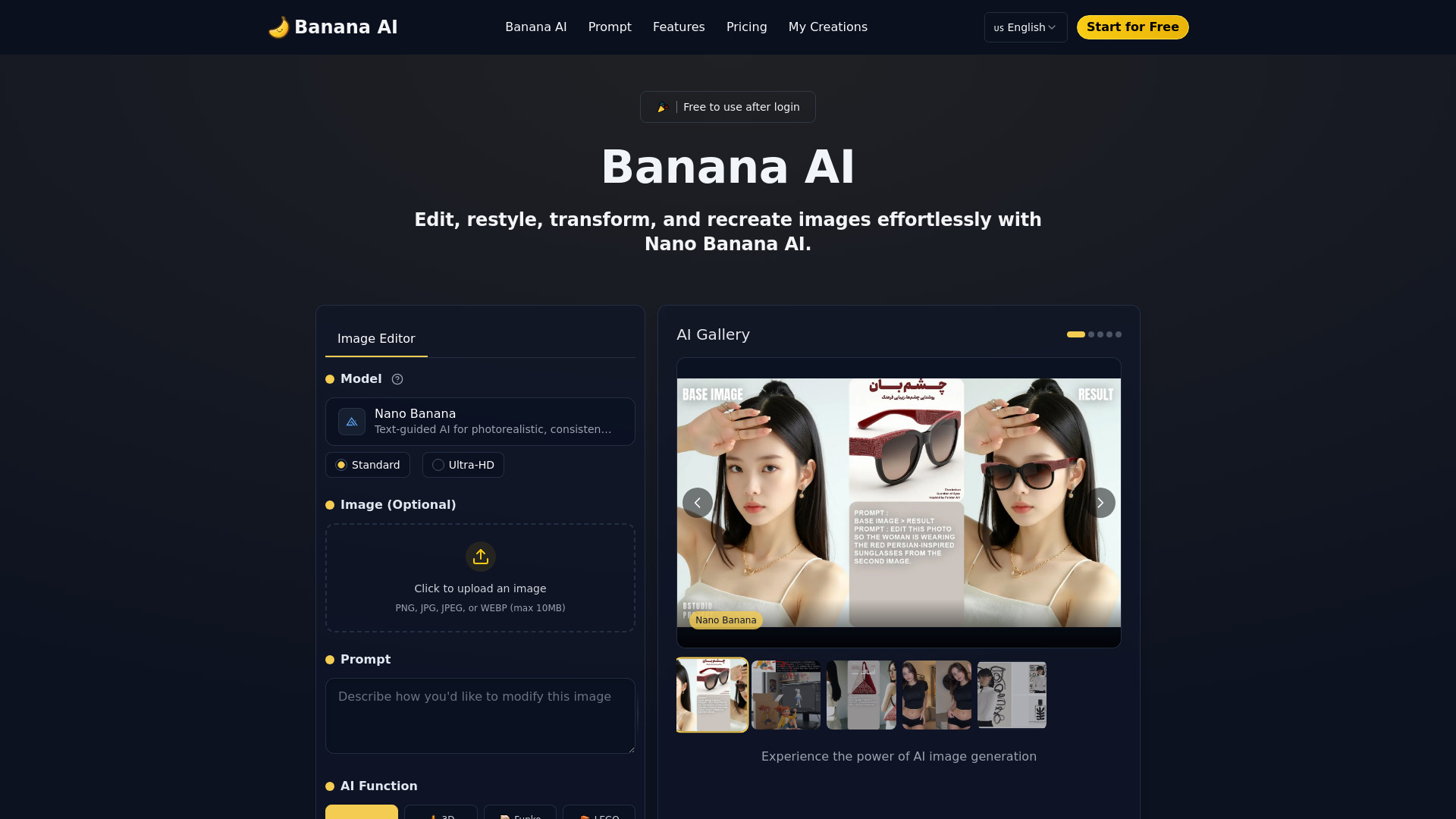
Banana AI is a free AI photo editor powered by Google’s Nano Banana technology (Gemini 2.5 Flash Image). It enables users to edit, restyle, transform, and recreate images effortlessly using simple text prompts. The platform offers precise edits, style changes, and consistent, high-quality results in seconds. It is designed for users who need fast editing without design experience, ensuring identity and subject consistency throughout the process. Banana AI can perform various functions such as removing objects, replacing backgrounds, adjusting lighting, changing colors, transforming photos into 3D figurines, Funko Pop figures, LEGO Minifigures, Crochet Dolls, or applying different artistic styles like watercolor, oil painting, anime, or cyberpunk. It also supports age transformation and batch editing.

Banana AI – Free AI Photo Editor screenshot

Best for

Short scenarios where Banana AI – Free AI Photo Editor tends to shine.

  • Creating 3D figurines from photos

    Best for Content creators

  • Replacing photo backgrounds with text prompts

    Best for Marketers

  • Adjusting lighting direction, intensity, and atmosphere

    Best for Businesses

  • Transforming photos into various art styles (e.g., watercolor, anime, cyberpunk)

    Best for Social media managers

  • Changing colors of objects or full scenes

    Best for Digital artists

  • Generating younger or older versions of portraits

    Best for Photographers

  • Creating profile pictures and brand visuals

    Best for Beginners in photo editing

  • Producing marketing visuals and social media content

    Best for Anyone needing quick visual assets

How it works

To use Banana AI, follow these simple steps:
1. Upload Your Photo: Start by uploading any photo you wish to edit.
2. Enter Your Prompt: Type a text prompt describing the desired edit, such as "Turn this into a cartoon" or "Add a sunset background."
3. Click Generate: Once the prompt is entered, click "Generate," and Banana AI will process your request and apply the edits in seconds.
4. Preview, Download, and Share: After editing, preview the result. If satisfied, download the image or share it directly on social media.

Example outputs 1

Sample generations and before/after results for Banana AI – Free AI Photo Editor.

Access & connections

Where you can use Banana AI – Free AI Photo Editor.

Platforms

Web

Capabilities

What this tool accepts, produces, and is strongest at.

Highlights

  • AI-Powered Photo Editing with text prompts
  • Effortless Style Adaptation
  • Identity Consistency Across Edits
  • Lightning-Fast Processing Speed (1-2 seconds)
  • Batch Editing for Multiple Images
  • User-Friendly Interface

People also view

Tools that often show up alongside Banana AI – Free AI Photo Editor in collections and comparisons.


FAQ 12

What is Nano Banana AI?
Banana AI is a free AI photo editor powered by Google’s Nano Banana technology (Gemini 2.5 Flash Image). It enables users to edit, restyle, transform, and recreate images effortlessly using simple text prompts. The platform offers precise edits, style changes, and consistent, high-quality results in seconds. It is designed for users who need fast editing without design experience, ensuring identity and subject consistency throughout the process. Banana AI can perform various functions such as removing objects, replacing backgrounds, adjusting lighting, changing colors, transforming photos into 3D figurines, Funko Pop figures, LEGO Minifigures, Crochet Dolls, or applying different artistic styles like watercolor, oil painting, anime, or cyberpunk. It also supports age transformation and batch editing.
How to use Nano Banana AI?
To use Banana AI, follow these simple steps: 1. Upload Your Photo: Start by uploading any photo you wish to edit. 2. Enter Your Prompt: Type a text prompt describing the desired edit, such as "Turn this into a cartoon" or "Add a sunset background." 3. Click Generate: Once the prompt is entered, click "Generate," and Banana AI will process your request and apply the edits in seconds. 4. Preview, Download, and Share: After editing, preview the result. If satisfied, download the image or share it directly on social media.
What can Banana AI edit?
Banana AI allows you to remove objects, replace backgrounds, and apply creative styles to your photos. It works with portraits, landscapes, or selfies, using text prompts for edits.
Is Banana AI free to use?
Banana AI offers free credits upon sign-up for basic editing features. Advanced features like higher resolution images or batch editing require purchasing additional credits or a subscription plan.
How fast is Banana AI?
Powered by Google's Nano Banana technology, Banana AI processes edits in just 1–2 seconds, making it one of the fastest AI photo editors available for single or batch editing.
What styles are available in Banana AI?
Banana AI offers various creative styles including anime, Pixar-like, realistic photography, watercolor, and more. Custom text prompts can also be used for unique edits.
Can I edit multiple photos at once?
Yes, Banana AI supports batch editing, allowing you to apply the same edits to multiple images simultaneously, ideal for content creators or businesses needing consistent results.
How does Banana AI maintain consistency across edits?
A key feature is its ability to maintain identity consistency. Even with style or background changes, faces and key features remain recognizable, suitable for avatars or brand consistency.
Can I use Banana AI for professional projects?
Yes, Banana AI is suitable for business use, including marketing visuals, social media content, or product photos, due to its ability to produce high-quality, consistent edits quickly.
Do I need any design experience to use Banana AI?
No, Banana AI is user-friendly and designed for everyone, allowing users without design experience to transform photos with simple text prompts.
Can I customize the edits in Banana AI?
Yes, beyond pre-set styles, you can use custom text prompts to create specific effects or transformations tailored to your exact needs.
How does Banana AI handle privacy and data security?
Banana AI processes images securely using Google's Gemini technology, ensuring data privacy and security. Data is not shared without consent, and edited photos are under user control once downloaded or shared.
Banana AI – Free AI Photo Editor Free + from $95.04 / year