
Arnis Minecraft
Generate playable Minecraft maps from real-world locations online.
Source rating 5.0
(95)
791 views
791/mo traffic
0 saves
Paid
From $3 USD
Verdict
A quick read before you dig into the full page.
- Best if
- Generate playable Minecraft maps from real-world locations online
- Skip if
- You need a free plan with no credit card
- Pick this when
- Paid · From $3 USD
Overview
Arnis Minecraft is an online real-world map generator that converts actual geographic locations into playable Minecraft worlds. By utilizing OpenStreetMap details and terrain elevation data, it generates maps featuring real street patterns, building shapes, parks, rivers, and natural landscapes. It supports both Minecraft Java and Bedrock editions, allowing players to recreate their neighborhoods, cities, schools, or famous landmarks without requiring complex software setups.
Access & connections
Where you can use Arnis Minecraft.
Platforms
Capabilities
What this tool accepts, produces, and is strongest at.
Highlights
- Online real-world map generation using OpenStreetMap and terrain data
- Support for both Minecraft Java Edition and Bedrock Edition
- Customizable generation settings, including roofs, land cover, and simple building interiors
- Flexible area selection from small neighborhoods to massive metropolitan regions
- One-time payment model with no recurring subscription fees
FAQ 6
What is Arnis Minecraft?
Arnis Minecraft is an online real-world map generator that converts actual geographic locations into playable Minecraft worlds. By utilizing OpenStreetMap details and terrain elevation data, it generates maps featuring real street patterns, building shapes, parks, rivers, and natural landscapes. It supports both Minecraft Java and Bedrock editions, allowing players to recreate their neighborhoods, cities, schools, or famous landmarks without requiring complex software setups.
How to use Arnis Minecraft?
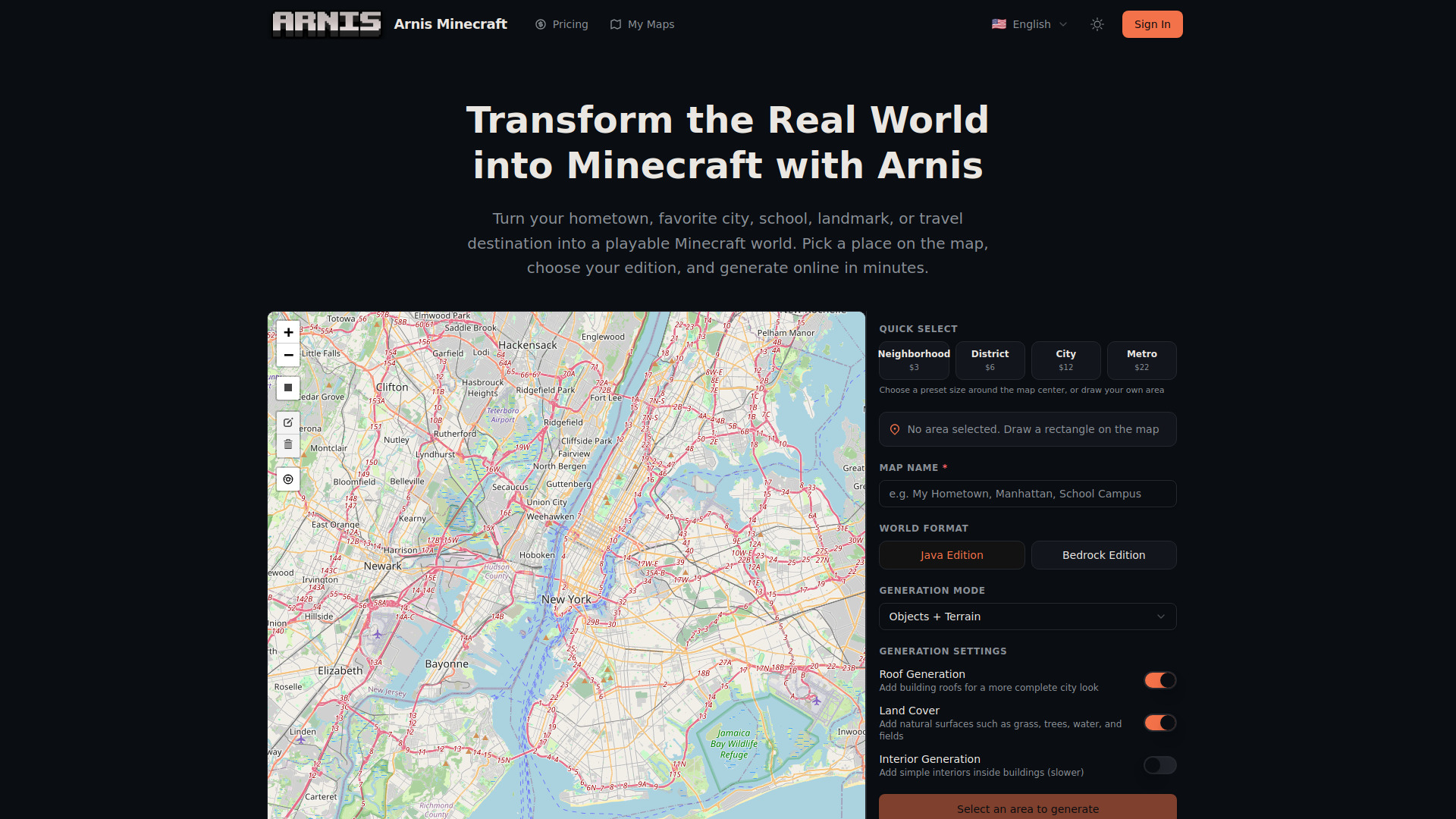
To use Arnis, search for a location on the interactive map, then select the area size using Quick Select presets or by drawing a custom rectangle. Name your map, select your Minecraft edition (Java or Bedrock), and adjust optional generation settings like terrain, roofs, and interiors. Click generate, complete the one-time payment, and download the files to import directly into your Minecraft game.
How accurate are the generated Minecraft worlds?
Generated worlds closely reflect real geographic data from OpenStreetMap. Building footprints, road layouts, parks, rivers, and terrain elevation all follow actual geography. Major cities produce the most detailed results, while rural areas may look simpler. It is a Minecraft-style recreation, not a perfect copy.
Which Minecraft editions are supported?
Arnis supports Java Edition and Bedrock Edition. Choose Java if you play on desktop Java Edition, or Bedrock if you play on Windows Bedrock, mobile, console, or Minecraft Education Edition.
Where do I put the generated world in Minecraft?
For Java Edition, place the generated world folder into your Minecraft saves folder (usually %APPDATA%\.minecraft\saves on Windows). For Bedrock Edition, simply open or import the generated .mcworld file.
Is there a subscription fee?
No. Arnis operates on a pure pay-per-generation model. You only make a one-time payment for the map you generate, with no recurring charges.
Related tools
Recommended



Arnis Minecraft
From $3 USD