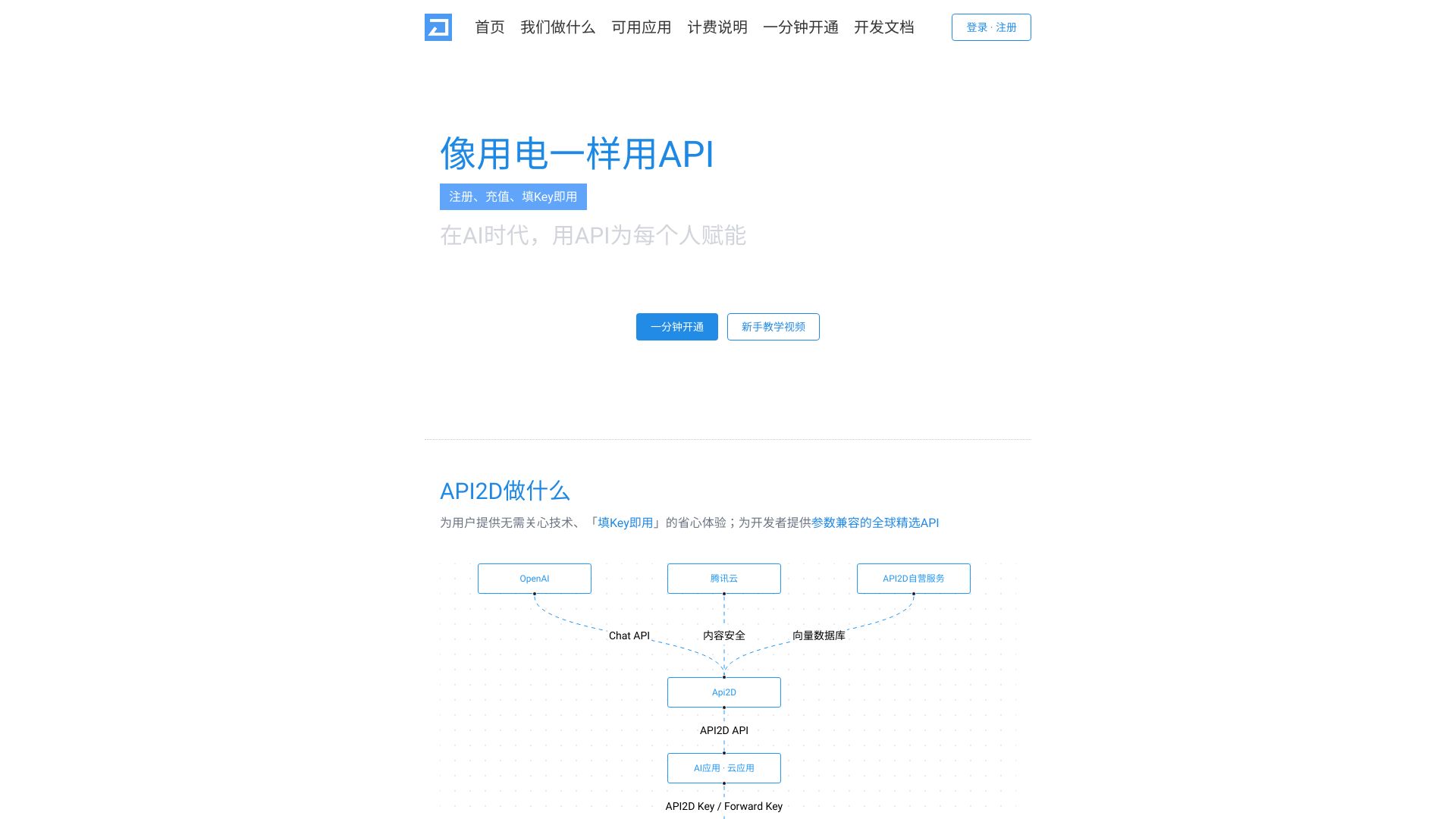
What is API2D?
API2D provides a platform for accessing various AI APIs, including OpenAI, Claude, and Stable Diffusion, without the need to manage the underlying technical complexities. It offers a 'fill Key and use' experience, providing developers with parameter-compatible, globally selected APIs and cloud-enhanced AI API services, including content security, chat, image, and retrieval-enhanced tools.
How to use API2D?
Register, recharge, and fill in the API Key to start using the API2D platform. The platform supports various applications that accept API URLs for GPT-3.5/4.
Which software, websites, and SDKs can use API2D?
All software, websites, and SDKs that use the OpenAI interface and support setting custom API domains/addresses can use API2D. You can find usage tutorials for dozens of applications on the 'Compatible Applications' page in the left menu after logging in.
How does API2D charge?
API2D uses points (P) for billing, with the overall price maintained at 1.5 times the official price of the interface provider (except for the 3.5 yuan recharge tier). For example, 1P = 133.3 GPT-3.5 (non-16k, non-1106) input tokens. You can use the point calculator to calculate the cost.
What models and interfaces does API2D support?
API2D supports most OpenAI interfaces, Claude, Stability, vector databases, and AzureTTS. You can learn more details by reading the API documentation.
What recharge methods does API2D support?
API2D supports WeChat, Alipay, and China bank card payments, as well as credit card payments through Stripe.
Why are the GPT4 chat results from the API2D interface different from ChatGPT's GPT4?
ChatGPT is a user-facing website provided by OpenAI. Its GPT4 is not a single model but a product pre-configured with prompts and packaged with tools. The official OpenAI API provides simpler and more singular functionality, requiring users/clients to add retrieval enhancement and tool usage functions themselves. API2D's interface is strictly consistent with the official OpenAI API, so it does not directly support additional functions. However, you can add document retrieval enhancement and search enhancement functions through ForwardKey settings and grouping settings in the agent function.
Why does GPT-4 not know it is GPT-4?
Because the GPT-4 opened to API calls by OpenAI has training data from before September 2021. If the model is not retrained after training, it will not automatically update the knowledge inside.
What happens when the point validity period expires?
The point validity period is half a year (180 days) after the last recharge. That is, if it is about to expire, you only need to recharge a few yuan to extend the validity period by 180 days. Expired points will not be cleared in real-time but will be processed during system upgrades or maintenance (which has not happened yet). If you find that the points have expired and have not been cleared, you can immediately recharge a small amount to extend the validity period.
What if the points are not updated after successful payment?
After successful payment, the points should arrive without significant delay. If you still cannot refresh the points after waiting a few minutes (click the refresh icon after the points in the upper right corner), you can directly contact customer service (WeChat lj925184928, email
[email protected]) or provide feedback in our WeChat or Telegram group, and we will deal with it as soon as possible.
Why does multiple requests return the same content?
API2D's server caches request results. If sha1(request.body) is the same, the cached result will be returned directly. After the cache is hit, no points will be deducted for this request. The cache will be saved for 24 hours. If you do not want to use the cache, you can add x-api2d-no-cache: 1 to the request header to skip the cache and force the API2D server to send a new request.
How to determine if the return value is cached?
For non-streaming requests, there will be a cache attribute in the return value. For streaming requests, there will be an X-Api2d-Cache field in the return value header. If the content is still the same after disabling the cache, it means that OpenAI returns it like this. You can modify the temperature parameter to make the model use more creativity.