Verdict

A quick read before you dig into the full page.

Best if
AI tool for generating and editing multilingual text in images with high precision
Pick this when
AI tool for generating and editing multilingual text in images with high precision

Overview

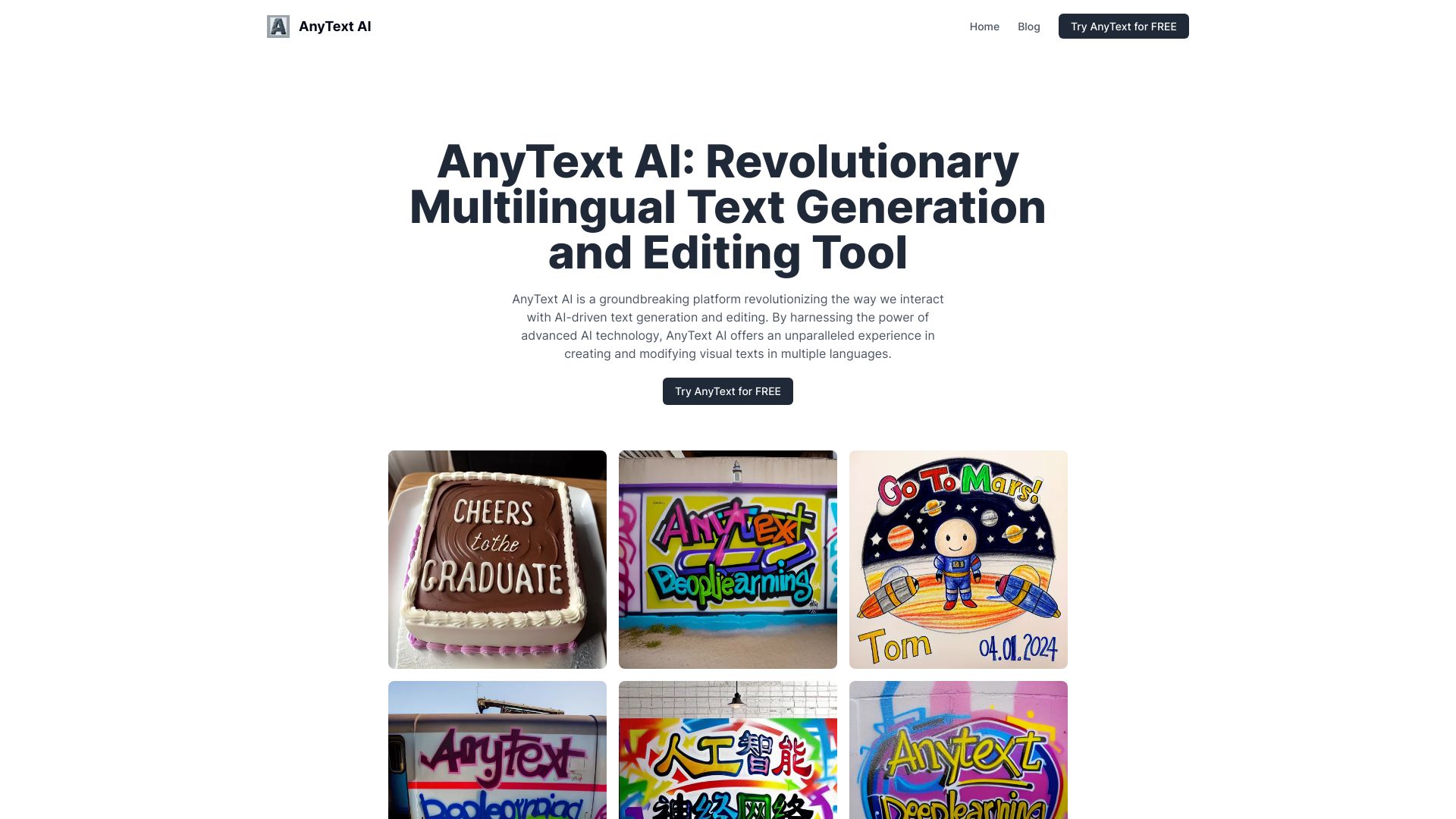
AnyText AI is a groundbreaking platform revolutionizing the way we interact with AI-driven text generation and editing in images. It seamlessly integrates editable text into images, supporting a variety of fonts, styles, and languages. By harnessing the power of advanced AI technology, AnyText AI offers an unparalleled experience in creating and modifying visual texts in multiple languages. It stands at the forefront of text-to-image synthesis, leveraging the latest advancements in AI to transform simple text inputs into rich, visually appealing images. AnyText AI addresses the challenges of visual text generation head-on, ensuring that generated texts are not only visually appealing but also clear and readable.

AnyText AI screenshot

Access & connections

Where you can use AnyText AI.

Platforms

Web

Capabilities

What this tool accepts, produces, and is strongest at.

Highlights

  • Multiline text generation at user-specified positions
  • Ability to handle deformed and irregular text regions
  • Multilingual capabilities
  • Advanced text editing in consistent font styles
  • Seamless integration with existing diffusion models

FAQ 7

What is AnyText AI?
AnyText AI is a groundbreaking platform revolutionizing the way we interact with AI-driven text generation and editing in images. It seamlessly integrates editable text into images, supporting a variety of fonts, styles, and languages. By harnessing the power of advanced AI technology, AnyText AI offers an unparalleled experience in creating and modifying visual texts in multiple languages. It stands at the forefront of text-to-image synthesis, leveraging the latest advancements in AI to transform simple text inputs into rich, visually appealing images. AnyText AI addresses the challenges of visual text generation head-on, ensuring that generated texts are not only visually appealing but also clear and readable.
How to use AnyText AI?
Users can input text and specify its position within an image. The AI then generates or edits the text in the image, adapting to the image's style and font. It also supports integration with existing diffusion models for enhanced creativity.
What makes AnyText unique in AI image generation?
AnyText stands out for its ability to generate and edit text in images with unprecedented precision and versatility, especially in multilingual contexts.
How does AnyText ensure the quality of generated text?
The platform employs advanced algorithms, including a text-control diffusion pipeline and OCR technology, ensuring that every piece of generated text is clear, legible, and contextually appropriate.
Can AnyText AI generate text in languages other than English?
Yes, AnyText AI boasts robust multilingual capabilities, supporting text generation in multiple languages, including but not limited to English, Chinese, Japanese, and Korean.
Is AnyText AI suitable for professional graphic design?
Absolutely! Its advanced text editing, multilingual support, and seamless integration with existing diffusion models make it an ideal tool for professional graphic designers and artists.
How does AnyText AI compare to other AI text generation tools?
AnyText AI excels in areas like multilingual text generation, handling irregular text regions, and integrating text seamlessly into images, setting it apart from other tools in the market.
AnyText AI