

AI Music Maker ✓
Generate original songs from words with AI.
Trial; then from $7.5/mo
Verdict
A quick read before you dig into the full page.
- Best if
- Generate original songs from words with AI
- Skip if
- May not work well for complex compositions
- Pick this when
- Generates songs from words
Considering Suno instead? Compare side by side
Overview
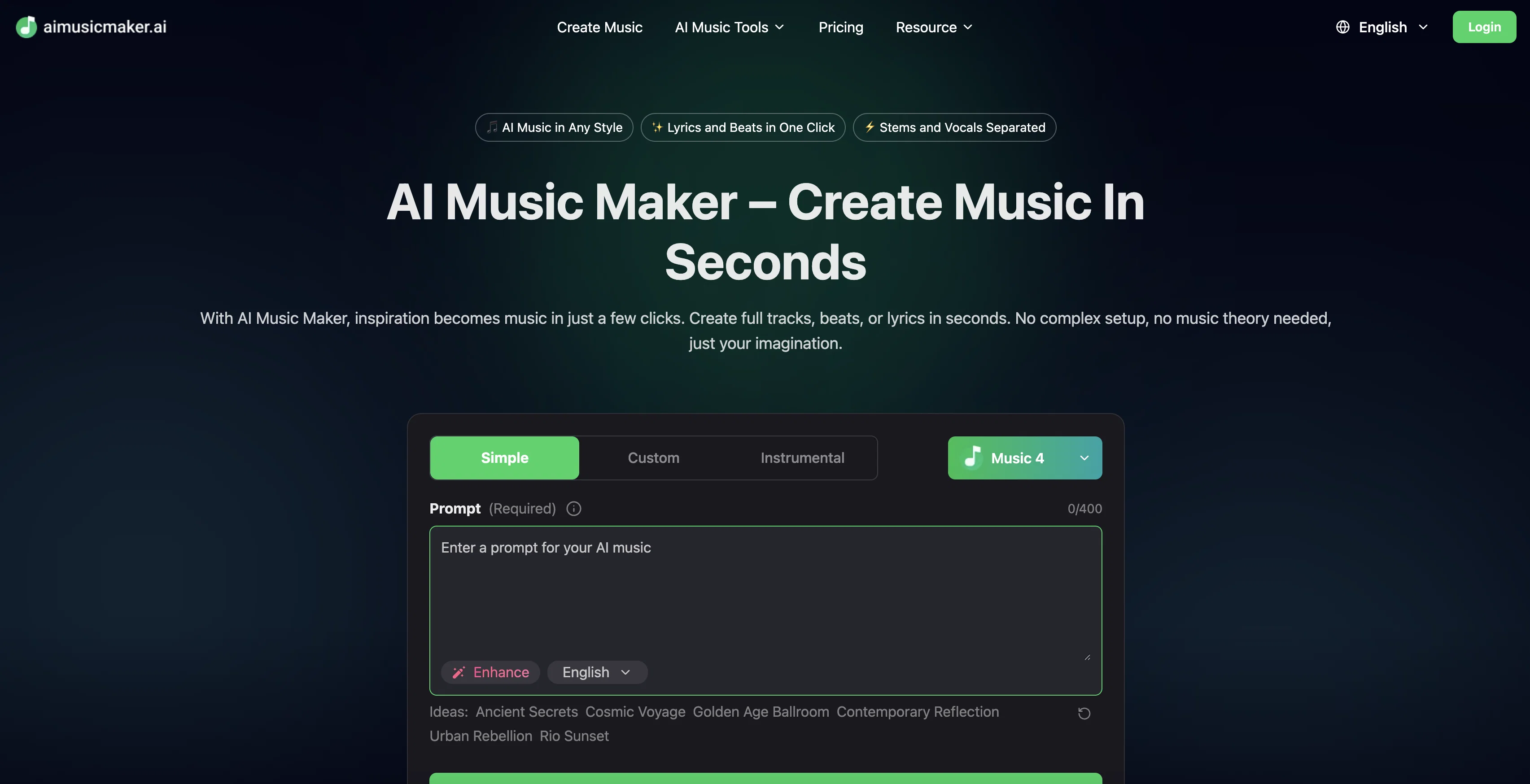
AI Music Maker is an artificial intelligence-driven tool that provides a platform for fast and easy song creation. This tool enables the generation of unique musical compositions from input words or lyrics.
It consists of several features for a comprehensive music-making experience. With a simple, beginner-friendly interface, users can generate full music tracks, beats, or lyrics without needing detailed music theory knowledge or complex setups.
A key functionality is the simple custom instrumental feature. This tool allows users to create music in a variety of styles, from relaxed background tracks to high-energy beats, catering to multiple genres.
Compositions can be customized further through the selection of genre, instruments, and mood, and enhanced with tools like the AI Lyrics Generator, AI Music Extender, or Vocal Remover.
Once the song is generated, users can preview and refine it before downloading the final product in MP3, WAV, or multi-track stems format. Songs created with this tool are royalty-free for commercial usage.
The platform is suitable for creators, musicians, and beginners, making it a versatile tool for personalized song creation, content creation, and professional music production.
Access & connections
Where you can use AI Music Maker.
Platforms
Capabilities
What this tool accepts, produces, and is strongest at.
Input
- Text
- Audio
Output
- Audio
Supported features
- Music Generation
Pros & cons
Pros
- Generates songs from words
- Customizable musical styles
- Genre, instrument, mood selection
- Vocal Remover tool
- Preview before downloading
- MP3, WAV, multi-track download
- Royalty-free compositions
- User-friendly interface
Show 15 more
- No music theory required
- Suitable for professionals and beginners
- Generate High-energy beats
- Background Music creation
- Custom Beats Generation
- Multilingual platform
- Creation without login
- Royalty-Free for Commercial Use
- High-Quality Output Formats
- Continuous Innovation in platform
- Precision audio separation
- Lossless stem splitting
- Text to music generator
- Helpful for various users-populations
- Transform ideas to professional music
Cons
- Limited file formats
- Lack of musical nuance
- Dependent on input prompt
- Only professional-quality with payment
- Might not cater to specific genre nuances
- Limited language support
- Limited customization features
- May not work well for complex compositions
Show 1 more
- Restrictions on full creative control
Compare alternatives
Similar tools in the catalog — with a clear reason to open each one.


Tunee ✓
FreemiumChat with AI to create music and music video in minutes.
Why look Offers a public API
Full comparison
Singify ✓
PaidSingify Your World – Create, Cover, Inspire
Why look Typically cheaper
Full comparison
AirMusic ✓
Free TrialAI music generator and music video creator in one platform.
Free + from $11.9/mo
Full comparison

Releases 1
FAQ 12
How does AI Music Maker generate songs from input words or lyrics?
What styles and genres of music can AI Music Maker generate?
What customizations can I make to my compositions in AI Music Maker?
Has AI Music Maker got a feature to extend music or remove vocals?
In what formats can I download songs from AI Music Maker?
Can I use songs created with AI Music Maker for commercial purposes?
Do I need knowledge of music theory to use AI Music Maker?
How can AI Music Maker be used for professional music production?
Can AI Music Maker generate both beats and lyrics?
Does AI Music Maker offer any music-making tools like lyrics generators or music extenders?
How to use the custom instrumental feature in AI Music Maker?
How beginner-friendly is AI Music Maker?
Related tools
Recommended

TextSong.net ✓
FreemiumAI Text to Song

AI Song.org ✓
FreemiumTransform ideas into studio-quality music instantly.

AISong.tech ✓
FreemiumFrom simple idea to full track in minutes.

Cool Coloring Pages ✓
FreemiumCreate cool AI coloring pages instantly.

iColoring AI ✓
FreeTurn photos and ideas into printable coloring pages.

Best Coloring Pages ✓
Free TrialCreate unique AI coloring pages instantly