Image editing

AI Image Editor-

AI-powered online image editor for text-prompt photo transformation.

Source rating 5.0 (99) 87k views 87k/mo traffic 0 saves Paid
More categories (11)

From $7.99 per month

Verdict

A quick read before you dig into the full page.

Best if
You are content Creators and need: Maintaining visual continuity of characters while altering scenes or outfits
Skip if
You need a free plan with no credit card
Pick this when
Paid · From $7.99 per month

Overview

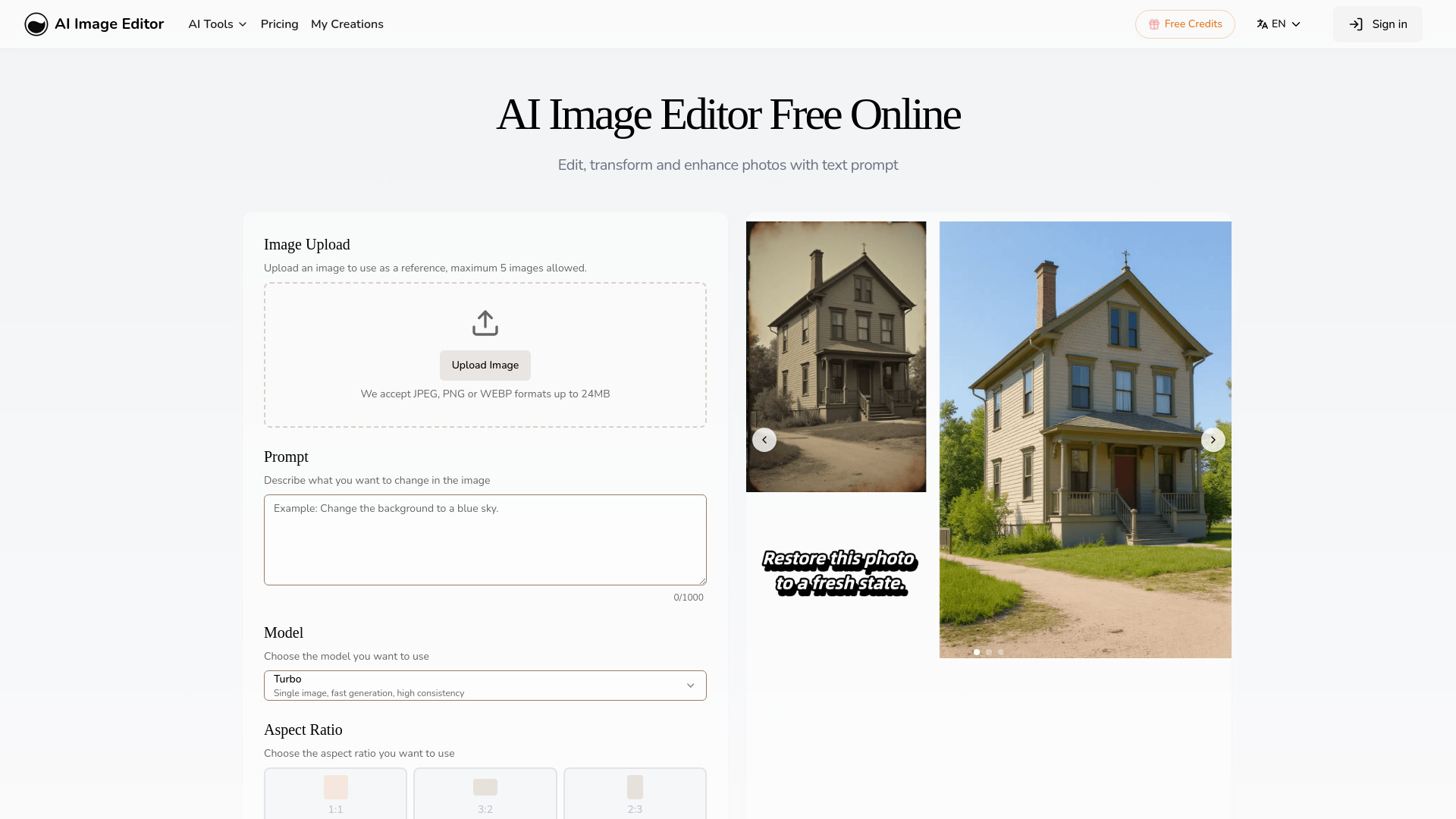
AI Image Editor is an online platform that allows users to instantly edit, transform, and enhance any photo using artificial intelligence. Users can achieve fast, consistent, and high-quality results by simply typing a text prompt, eliminating the need for Photoshop skills. The platform offers advanced features such as maintaining character consistency across different scenes, precision editing for targeted modifications, seamless text integration into images, and style transfer based on reference images. It supports various image formats (JPEG, PNG, GIF, WEBP) and is designed for professional workflow integration, enabling rapid prototyping and commercial projects.

AI Image Editor- screenshot

Best for

Short scenarios where AI Image Editor- tends to shine.

  • Maintaining visual continuity of characters while altering scenes or outfits.

    Best for Content Creators

  • Refining specific areas of an image with pixel-level accuracy.

    Best for Marketing Professionals

  • Adding natural-looking captions, call-outs, or branding text to photos.

    Best for Social Media Managers

  • Recreating photos with a specific style, color, and mood from a reference image.

    Best for Graphic Designers

  • Generating multiple high-quality image variations for marketing, branding, and social media content.

    Best for Photographers

  • Rapid prototyping for commercial projects.

    Best for Businesses (for branding and advertising)

Example outputs 1

Sample generations and before/after results for AI Image Editor-.

Access & connections

Where you can use AI Image Editor-.

Platforms

Web

Capabilities

What this tool accepts, produces, and is strongest at.

Highlights

  • AI-powered image editing with text prompts
  • Character consistency across transformations (poses, outfits, backgrounds)
  • Precision region control for targeted modifications (eyes, sky, logo)
  • Seamless text integration into images
  • Reference-based style transfer

People also view

Tools that often show up alongside AI Image Editor- in collections and comparisons.

FAQ 7

What is AI Image Editor?
AI Image Editor is an online platform that allows users to instantly edit, transform, and enhance any photo using artificial intelligence. Users can achieve fast, consistent, and high-quality results by simply typing a text prompt, eliminating the need for Photoshop skills. The platform offers advanced features such as maintaining character consistency across different scenes, precision editing for targeted modifications, seamless text integration into images, and style transfer based on reference images. It supports various image formats (JPEG, PNG, GIF, WEBP) and is designed for professional workflow integration, enabling rapid prototyping and commercial projects.
How to use AI Image Editor?
To use the AI Image Editor, follow these four steps: 1. Choose Your Model: Select the AI model best suited for your editing needs. 2. Upload Your Image: Upload your image in JPEG, PNG, GIF, or WEBP format (up to 20MB and 4096 x 4096 pixels). 3. Describe Your Changes: Provide a specific text prompt detailing the desired modifications. 4. Generate & Choose: Generate multiple variations of your edited image, review the results, and select your preferred output to download.
What makes AI Image Editing different from Text-to-Image generation?
AI Image Editing transforms existing images while preserving their core structure and composition, unlike text-to-image generation which creates images from scratch.
Can I use transformed images for commercial purposes?
Yes, paid subscribers receive full commercial usage rights for all transformed images. The Free plan does not include commercial usage rights.
What file formats and sizes do you support?
The platform supports JPEG, PNG, GIF, and WEBP formats up to 20MB and 4096 x 4096 pixels.
What happens when I run out of credits?
If you have a subscription, your credit quota automatically resets at the start of each billing cycle. Additional credit packs can be purchased for immediate use.
How is NSFW or Adult Content handled?
The creation of any form of NSFW or adult content is strictly prohibited across all plans. The platform reserves the right to delete such content and take appropriate action.
AI Image Editor- From $7.99 per month
