

AI Emojis by Kawaii ✓
Create AI emojis from text or photos.
Verdict
A quick read before you dig into the full page.
- Best if
- Create AI emojis from text or photos
- Skip if
- Limited multi-emoji sending
- Pick this when
- Designed for Apple devices
Considering SDXL emoji instead? Compare side by side
Overview
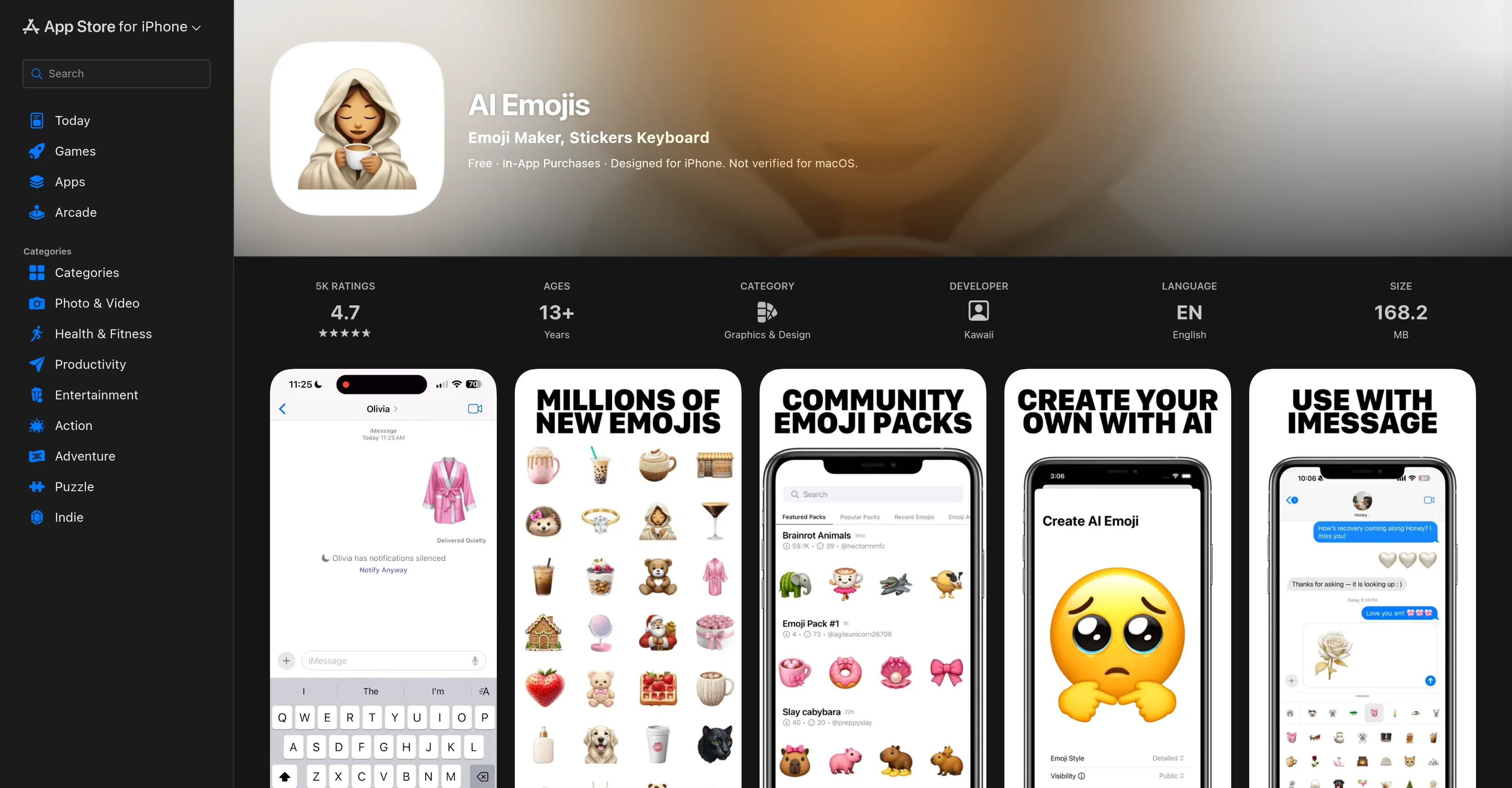
The AI Emojis by Kawaii is a creative and interactive tool designed for Apple devices where users can generate their own emojis using artificial intelligence (AI).
This application enables users to create AI emojis either from text inputs or by converting their photos into customizable emojis. The platform offers numerous options and caters to a wide variety of emoji requirements, making it a versatile tool for personalizing your digital interactions.
Interesting features of this app include communal exploration and sharing of AI-generated emojis and the chance to discover popular emoji packs created by the community.
While primarily designed for use on iPhones, the app can also be utilized on iMessage. Please note that in-app purchases are available and the new emojis generated are currently only compatible with other iPhone users.
If issues arise while using the app, the developers provide email support for troubleshooting and assistance.
Access & connections
Where you can use AI Emojis by Kawaii, and what it plugs into.
Platforms
Integrations
Capabilities
What this tool accepts, produces, and is strongest at.
Input
- Text
- Image
Output
- Image
Pros & cons
Pros
- Designed for Apple devices
- Creates emojis from text
- Converts photos into emojis
- Customizable emojis
- Numerous emoji options
- Community emoji sharing
- Features popular community emoji packs
- Integration with iMessage
Show 15 more
- In-app purchases available
- Supports email troubleshooting
- Frequent bug fixes
- Privacy-focused practices
- Subscription for added features
- Regular updates
- Positive user feedback
- Creative and interactive design
- Personalized digital interactions
- Graphics and design category
- Highly rated on App Store
- Files size is 168.2 MB
- Accessible for ages 13+
- Responsive developers
- Option to explore communal emojis
Cons
- Only for Apple devices
- Not compatible with macOS
- Error-prone ads for features
- Emojis sent as photos
- Emojis only compatible with iPhones
- In-app purchases required
- Frequent bug fixes needed
- Limited multi-emoji sending
Show 1 more
- Email-only support
Compare alternatives
Similar tools in the catalog — with a clear reason to open each one.

SDXL emoji ✓
PaidTransform text into Apple-style emoji art.
Why look Stronger for image work
Full comparison

AnyMoji ✓
FreemiumEnhanced communication with personalized emojis.
Why look Typically cheaper
Full comparison
Aimoji ✓
FreemiumImproved communication using generated emojis.
Why look Typically cheaper
Full comparison
Gen Emoji ✓
Free TrialCreate unique AI-generated emojis from text.
Why look Typically cheaper
Full comparisonReleases 1
FAQ 12
What is AI Emojis by Kawaii?
How do I generate my own emojis using AI Emojis by Kawaii?
Can I convert my photos into emojis using AI Emojis by Kawaii?
What types of emoji requirements does AI Emojis by Kawaii cater to?
How can I share AI-generated emojis from AI Emojis by Kawaii?
How do I discover popular emoji packs in AI Emojis by Kawaii?
Is AI Emojis by Kawaii only compatible with iPhones?
How do in-app purchases work on AI Emojis by Kawaii?
How do I use AI Emojis by Kawaii on iMessage?
What kind of email support is provided by the developers of AI Emojis by Kawaii?
[email protected]
for troubleshooting and assistance.