Video Generators

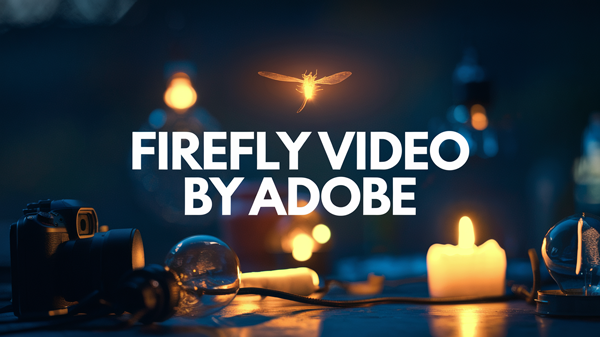
Adobe Firefly Video ✓

An AI model for video creation and editing. Generate sequences, extend clips and add visual effects from simple text descriptions in Premiere Pro

24k views 69 saves Free

Verdict

A quick read before you dig into the full page.

Best if
An AI model for video creation and editing. Generate sequences, extend clips and add visual effects from simple text descriptions in Premiere Pro
Skip if
You need enterprise SLAs or a fully managed team plan right away
Pick this when
Free · Free

Overview

body{color:#333;line-height:1.6;margin:0;padding:0}h1,h2,h3,h4{text-align:left;color:#333;margin-bottom:20px}h2{font-size:25px!important;margin-top:50px;color:#e91e63}h3{font-size:20px;margin-top:40px;color:#555}p{margin-bottom:20px;line-height:1.8}ul{padding-left:20px}li{line-height:1.8}.highlight{background-color:#fff;padding:10px;border-left:5px solid #ff642d;margin-bottom:75px}blockquote,.testimonial{border-left:5px solid #e91e63;padding-left:20px;margin:20px 0;font-style:italic;background-color:#f9e5f2}.cta-btn{display:inline-block;background-color:#ff642d;color:#fff;padding:10px 20px;border-radius:5px;text-decoration:none;font-size:16px;margin-top:30px;text-align:center}.cta-btn:hover{background-color:#fa90cc;transition:background-color 0.3s ease}.sepfull{height:9px;background:#f9f9f9;margin:35px 0 0}h2{margin-top:70px!important}h3{margin-top:40px;margin-bottom:20px}p,ul{margin-bottom:20px}.icon{color:#ff642d;margin-right:5px}.icon{display:inline-block;width:18px;height:18px;margin-right:10px;vertical-align:middle}.icon2{display:inline-block;width:36px;height:36px;margin-right:10px;vertical-align:middle}.marno{margin:32px 0 50px 0px!important;padding:0 15px}.marno2,.marno3{margin:0!important;padding:0;list-style:circle!important;padding-left:13px!important}.strono{margin:40px 0 14px 0;display:block}.lino{line-height:20px!important}.adapth4{font-size:17px!important;margin-top:20px!important}.toolday2{width:fit-content;margin-bottom:77px;margin-left:initial;margin-right:initial;margin-top:35px;font-size:15px;background:#ff642d}.toolday2:before{background-color:#fa90cc5c}html.dark-mode .toolday2{background:#ff642d}html.dark-mode .toolday2:before{background-color:#fa90cc5c}html.dark-mode .sepfull{background:#8b8d91}.faq-item{margin-bottom:15px;padding:17px 17px 10px 17px;border:1px solid #ddd;border-radius:5px;box-shadow:0 2px 5px rgb(0 0 0 / .1)}.faq-question{font-size:16px!important;cursor:pointer;color:#0073aa;font-size:1.1em;font-weight:700;display:flex;justify-content:space-between;align-items:center}.faq-question:hover{color:#2562a0!important}.toggle-icon{font-weight:700;margin-left:10px}.faq-answer{display:none;margin-top:10px;margin-left:20px;font-size:1em;line-height:1.5}.faq-answer.show{display:block;animation:fadeIn 0.3s ease-in-out}@keyframes fadeIn{from{opacity:.7}to{opacity:1}}.ajus3{margin-top:0px!important}.nobutt{display:none}.bonusem{letter-spacing:2px;text-transform:uppercase;display:block;text-align:center;padding:.7em 2em;border-radius:2px;background:#f0f0f0;border:0 solid #ccc;font-size:16px!important;line-height:1.5}html.dark-mode p,html.dark-mode li{color:#fff}html.dark-mode .highlight{background-color:#fff0}html.dark-mode .toolday2{background:#ff642d;filter:invert(0) hue-rotate(25deg)}

Adobe Firefly Video: a premium video generator

Intrigued by how AI will change the way you create videos? Adobe has just unveiled a tool that promises to cause a stir: Adobe Firefly Video ! 🎥✨

A new chapter in video creation

Adobe Firefly Video lets you quickly turn your ideas into videos and animate your static photos. It may sound too good to be true, but that’s exactly what this new technology offers!

The magic of Text-to-Video

Do you have a great idea for a video, but no equipment to make it? Don’t panic! With the “Text to Video” function, all you have to do is describe your vision, and the magic happens! Imagine a tracking shot on a beach at sunset: a simple description is all it takes, and you’ll see your creation take shape. It’s like having a director in your pocket!

Animate your photos with Image-to-Video

The “Image to Video” function makes it possible to animate your photos. As a result, your favorite vacation photo can be metamorphosed into an animated clip. Your memories have never been so vivid!

Adobe Firefly Video: a video generator in Premiere Pro

Adobe Firefly Video adapts to different user profiles. On the one hand, professionals can access it directly from Premiere Pro. On the other, the curious and the amateur can use it on Adobe’s Firefly website. So this powerful tool is within everyone’s reach.

Ethical creativity

Adobe places great importance on ethics. Indeed, Firefly Video is:

  • A tool designed for worry-free commercial use
  • Based on learning using authorized content only
  • Respectful of creators’ rights

So you can express your creativity with peace of mind!

When can you try Firefly Video?

If you can’t wait, the beta version will soon be available:

  • Scheduled for release in the coming months
  • To be among the first to try it out, you can join the waiting list.

A major Change in the world of video

Firefly Video is the equivalent of having a production team in your computer. In fact, this tool allows:

  • Simplify creation processes
  • Explore new creative possibilities
  • Potentially reduce production costs

Now it becomes possible to fill a hole in an edit quickly, or create the perfect B-roll shot in seconds.

Concluding thoughts on Adobe Firefly Video

Adobe Firefly Video isn’t just a new tool, it’s an open door to a world of infinite creative possibilities. Experienced professionals and motivated amateurs alike will be able to push the boundaries of their creativity!

Visit Adobe Firefly Video website
Site like icon More sites like  Adobe Firefly Video  in the category:  #Video Generators

Text written by a human

.featwoo{padding-bottom:18px}.wp-block-column{min-width:auto}.altxt{display:block!important}html.dark-mode .txt-humanai{color:#fff}h1{margin-bottom:27px!important}.wp-block-columns{padding-top:0}#column-tabla{flex-basis:75%}#column-tablb{flex-basis:25%}.paddy{position:relative;box-shadow:#b5b5b561 0 0 11px;font-size:15px;line-height:1.8;letter-spacing:0;padding:16px 28px 62px 29px!important;background:#fff;border-radius:11px}.post-item{width:100%;margin:20px}.page-title{margin-bottom:33px!important}.post-item{margin:0 0 30px 0px!important;width:100%!important}@media only screen and (max-width:767px){.post-excerpt{height:auto;padding-bottom:0;text-overflow:unset;display:block;-webkit-box-orient:unset}.wp-block-columns{padding-top:0px!important}.paddy{padding:16px 12px 34px 17px!important;background:#fff;margin-top:0;border-radius:11px}}@media only screen and (max-width:992px){#column-tabla{flex-basis:60%}#column-tablb{flex-basis:40%}}@media only screen and (max-width:1200px){.wp-block-columns{padding-top:6px}#column-tablb{padding-left:33px}.paddy{padding:0}.post-item{width:calc(100% - 20px)!important}.post-excerpt{height:auto}}.latest-posts{grid-template-columns:repeat(1,1fr);padding-top:0;gap:0}.button-plus-alt{display:none}
Adobe Firefly Video by Adobe (model)

Best for

Short scenarios where Adobe Firefly Video tends to shine.

  • An AI model for video creation and editing. Generate sequences, extend clips and add visual effects from simple text descriptions in Premiere Pro

Example outputs 1

Sample generations and before/after results for Adobe Firefly Video.

Access & connections

Where you can use Adobe Firefly Video, and what it plugs into.

Platforms

Web

Integrations

Adobe Firefly Video Free